
ViewCaller: Caller ID & Block
Tap AICommunication
4.3148.00 Reviews
- Version
- Varies With Device
- Installs
- 1.00M
- Age Rating
- Everyone
Screenshots
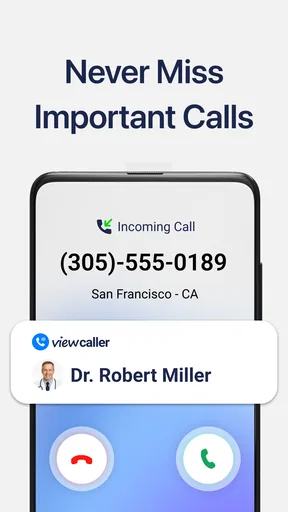
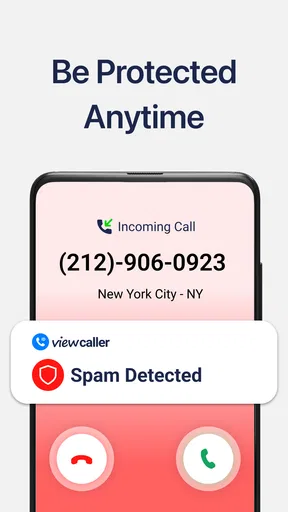
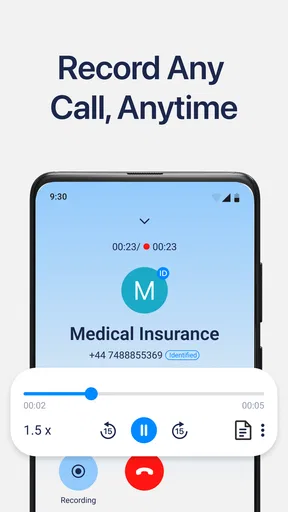
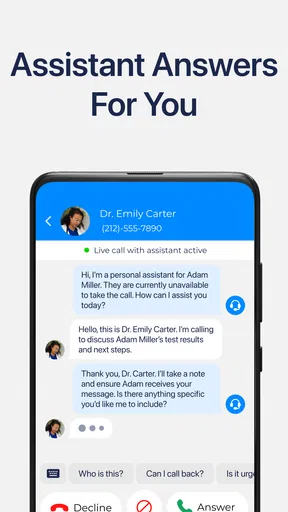
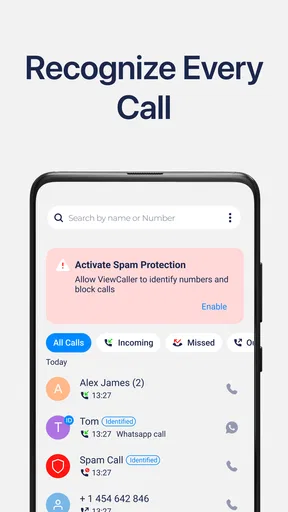
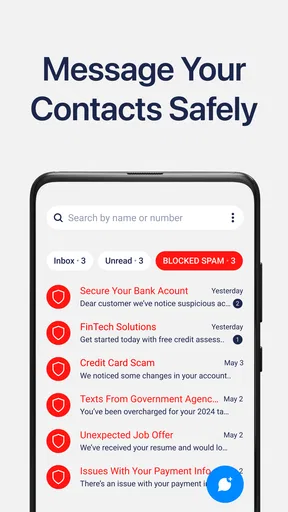
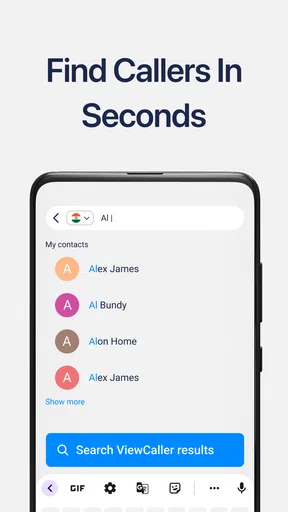
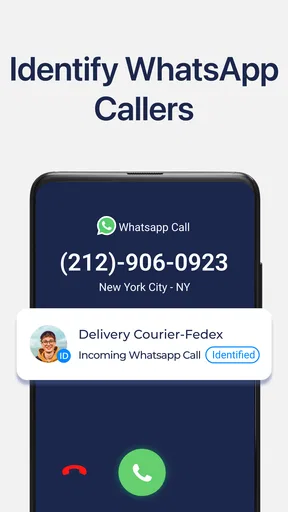
Our Review of ViewCaller: Caller ID & Block
 Analysis by Appyee
I think the most useful way to judge ViewCaller: Caller ID & Block is to focus on the moment it is meant to improve: a call arrives from a number you do not know, and you have to decide whether to answer. Caller identification and spam blocking can make that decision less of a guess. They do not make every unfamiliar call safe or every unwanted call disappear, but they can give you more control over how you handle interruptions.
A quick decision, not a guarantee
Caller ID is most valuable when it gives you context at the right time. If you are waiting for a delivery, a work call, or a response from someone who may be using a different number, automatically silencing every unknown caller could be a poor trade. Seeing caller information before you answer can help you weigh the interruption against the possibility that the call matters.
I would treat any identification as a clue rather than proof. A caller label can help you recognize a likely unwanted call, but it should not replace your judgment, especially if someone asks for sensitive information or pressures you to act quickly. The practical benefit is a better-informed choice, not a guarantee about who is on the other end.
Where blocking fits into the routine
Blocking makes more sense as a response to a pattern than as a reflex. If the same unwanted number keeps interrupting you, adding it to a block list can reduce the chance of another disruption from that source. Keeping the list focused on numbers you recognize as unwanted also helps avoid the frustration of blocking a legitimate contact by mistake.
That distinction matters if you use your phone for work or manage appointments. A new customer, clinic, school, or service provider may call from a number you have not saved. In that situation, caller identification can help you assess the call, while a cautious approach to blocking protects the possibility of hearing from someone you actually need to reach.
One ordinary day with an unknown call
Picture a busy afternoon: you are concentrating on a task, your phone rings, and the number is not in your contacts. Rather than answering automatically or rejecting every unknown caller, you can use caller information to decide whether the interruption deserves your attention. If the call appears to be unwanted, blocking can be the next step; if it might be important, you can answer or follow up in a way that suits you.
This is a small workflow, but it is the clearest reason to consider the app. The value is not only avoiding an annoying conversation; it is making fewer decisions under pressure. For people who receive frequent calls from unfamiliar numbers, that extra context can make the phone feel less demanding without requiring them to stop taking calls altogether.
Who benefits, and who may prefer another approach
I would consider this kind of communication app if unknown calls regularly interrupt your day and you want both identification and a way to block numbers you have judged to be unwanted. It may be especially useful if you cannot simply silence all unfamiliar callers because your work, family responsibilities, or appointments depend on being reachable.
If you rarely receive unwanted calls, or already handle them comfortably with your phone’s built-in call controls, a separate app may add little to your routine. Likewise, if your priority is to send every unknown call straight to voicemail, a simpler built-in setting may suit you better. The right choice depends on whether you want more context before deciding, rather than only a broad rule for unknown numbers.
How it compares with built-in controls
The usual alternative is to rely on the phone’s own call handling tools: save people you know, silence or ignore unfamiliar numbers, and block specific callers when necessary. That can be enough for someone who gets few nuisance calls. ViewCaller’s appeal is the combination of caller identification with blocking, which offers a middle ground between answering every call and treating every unfamiliar number the same way.
That middle ground is useful, but it also means you should keep your expectations measured. Identification is only helpful when it gives you information you can act on, and blocking works best when you are confident about the number. I would not install it expecting a perfect filter or a reason to answer calls without caution; I would use it to make my own call-screening decisions less rushed.
Discovering the App's Potential
You know how some apps just make life easier? ViewCaller: Caller ID & Block is one of those gems. At first glance, it might seem like just another caller ID app, but it packs a punch with its robust features. It's like having a personal assistant screening your calls, ensuring you only deal with the ones you actually want to take.
Caller ID That’s Got Your Back
The core feature, of course, is the caller ID. It’s as if ViewCaller has a sixth sense. Every time a call comes in, it instantly pulls up the details of the caller, even if they’re not in your contacts. It’s super handy for those moments when a random number decides to interrupt your day. Plus, the app continuously updates its database, so you’re never out of the loop.
Blocking Unwanted Calls
We’ve all dealt with those annoying spam calls. The ones where you answer, and there’s a long pause followed by a robotic voice. With ViewCaller, blocking these nuisances is as simple as a tap. The app offers a comprehensive blocking feature that lets you customize your block list. It’s like having a doorman who filters out the riff-raff.
Smart Features for the Modern User
What really stands out with ViewCaller is its additional features that cater to today’s digital needs. There's a call recorder, which is perfect for those important business calls where you need to remember every word. And let’s not forget the spam detection capability, which is constantly evolving to catch the latest tricks scammers use to get your attention. It’s like having a security team on your phone.
An Intuitive User Experience
The app’s interface is sleek and user-friendly. You don’t need to be a tech wizard to navigate through its features. Everything is laid out clearly, with intuitive icons and labels guiding your way. Setting up the app is a breeze, and once it’s up and running, it seamlessly integrates with your phone's existing systems.
Privacy Matters
In this day and age, privacy is a big deal. ViewCaller understands that, and they've built the app with privacy in mind. It doesn’t require unnecessary permissions, and your data isn't used for any shady dealings. You can feel confident knowing your information is safe and sound.
Compatibility and Performance
Whether you’re on Android or iOS, ViewCaller works smoothly across platforms. I’ve used it on both and noticed no significant differences. The performance is consistent, with minimal battery drain and no noticeable lag. It feels lightweight, yet powerful enough to handle various tasks simultaneously.
Why You Should Try It
If you’re tired of being caught off guard by unknown numbers, or if you simply want a better way to manage your calls, give ViewCaller a shot. It’s more than just a caller ID app; it’s a comprehensive call management system that adapts to your lifestyle.
Worth trying, with a few practical checks
ViewCaller is a free communication app from Tap AI, and it has an average rating of 4.2 from around 33,000 ratings, with over 1 million installs. That gives a prospective user a useful sense of its reach, though popularity alone does not tell you whether its call identification will be useful for the numbers you encounter.
It is rated for Everyone and was released on April 17, 2018. The minimum operating system requirement is version 10. The app is free to install, with optional in-app purchases ranging from $2.99 to $39.99 per item, so I would check what is included in any purchase before paying. If your only goal is to see whether caller identification and blocking fit your habits, starting with the free offering is the sensible first step.
One practical tip is to notice how you make decisions after an unfamiliar call appears. If you tend to answer out of curiosity, caller identification may give you a reason to pause. If you already screen calls carefully, the bigger benefit may be having a convenient way to block a repeat nuisance. Either way, give yourself time to see whether the extra step actually reduces interruptions rather than assuming that installing a caller ID tool will change your routine by itself.
Keep expectations and settings personal
Caller screening is not one-size-fits-all. Someone who needs to stay available to new clients may prefer to review unfamiliar calls individually, while someone who is rarely expecting calls may be more comfortable blocking known nuisance numbers promptly. I would avoid making a broad blocking decision just to create a quieter phone if doing so could also hide calls you need to receive.
Another useful habit is to review a number before adding it to a block list, particularly after a missed call that might be from a legitimate organization. That takes a little more care than blocking every unknown caller, but it helps preserve the app’s usefulness as a selective tool. The best call filter is one that supports your priorities without making you unreachable to the people who matter.
When I would skip it
I would skip ViewCaller if your phone’s existing controls already solve the problem, if unknown calls are uncommon, or if you do not want another app involved in how calls are handled. I would also think carefully before relying on caller labels as a security check: no identification feature should be treated as proof of a caller’s identity or as permission to share private details.
For someone who wants only a basic block list, the built-in option may be simpler. For someone who wants context before deciding whether to answer, the combination of identification and blocking is the more relevant reason to try this app. That is the distinction I would use when deciding whether it earns a place on your phone.
In conclusion, ViewCaller: Caller ID & Block is a must-have app for anyone who values their time and wants more control over their incoming calls. It’s reliable, efficient, and tailored to meet the needs of modern smartphone users. So why not download it and see how it can simplify your life?
Verdict
Strengths of ViewCaller: Caller ID & Block
- Easy-to-use interface for quick navigation.
- Accurate caller ID information displayed instantly.
- Effective call blocking reduces spam calls.
- Customizable settings for a personalized experience.
- Lightweight app with minimal battery usage.
Limitations of ViewCaller: Caller ID & Block
- Requires internet for real-time caller ID.
- Some features are locked behind a paywall.
- Occasional ads can disrupt user experience.
- Limited database for less common numbers.
- Privacy concerns with access to contacts.
Other Releases by Tap AI
View All
PDF Scanner app - TapScanner
Business4.5

PhotoBoost - AI Photo Enhancer
Photography4.6

Walli - Stunning 4K Wallpapers
Personalization4.5
Similar Picks in This Category
View All
Google Messages
Google LLC4.6

Gmail
Google LLC4.1

Google Meet
Google LLC4.4

Google Chrome
Google LLC4.1

WhatsApp Messenger
WhatsApp LLC4.6

Carrier Services
Google LLC4.2
Frequently Asked Questions
What features does ViewCaller offer for managing calls?
ViewCaller offers a comprehensive suite of features designed to enhance call management. It includes a powerful caller ID function that identifies unknown numbers, a call blocking feature to prevent spam calls, and detailed call logs. Additionally, it offers a smart dialer for convenient dialing and contact management.
Is ViewCaller effective in blocking spam calls?
Yes, ViewCaller is highly effective in blocking spam calls. It utilizes a robust database of known spam numbers and uses real-time updates to ensure protection. Users can also customize their block list, adding specific numbers they wish to block, enhancing personal control over incoming calls.
Can ViewCaller access my contacts and call history?
ViewCaller requires access to your contacts and call history to provide its core functionalities like caller ID and call management. The app ensures that your data is handled securely, adhering to privacy policies. Users have the option to manage permissions within their device settings for enhanced privacy control.
Does ViewCaller work without an internet connection?
ViewCaller requires an internet connection for real-time updates, such as downloading the latest spam number database and providing up-to-date caller ID information. However, basic features like call logs and contact management can function offline, though their effectiveness might be reduced.
How user-friendly is the ViewCaller interface?
ViewCaller boasts a user-friendly interface designed for ease of use. The layout is intuitive, with clearly labeled sections for caller identification, call blocking, and more. The smart dialer and contact list are easy to navigate, making the app accessible for users of all tech-savviness levels.
